SERVICES
FOR BUSINESS
CLOUD





Thank you!
We will call you back.
Disaster Recovery as a Service (DRaaS) | Cloud DRaaS Cost Calculator on the Lancloud website
Cloud DRaaS
Cloud-based IT infrastructure disaster recovery service
- Disaster-proof protection for your data center
- Virtual server recovery in 15 minutes
- Data up-to-date at the time of failure
- 100% resource guarantee at 30% of the cost
- Reverse failover upon primary data center recovery
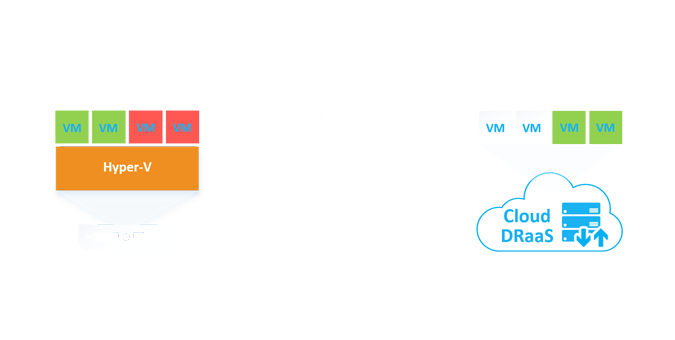
Cloud Disaster Recovery Service
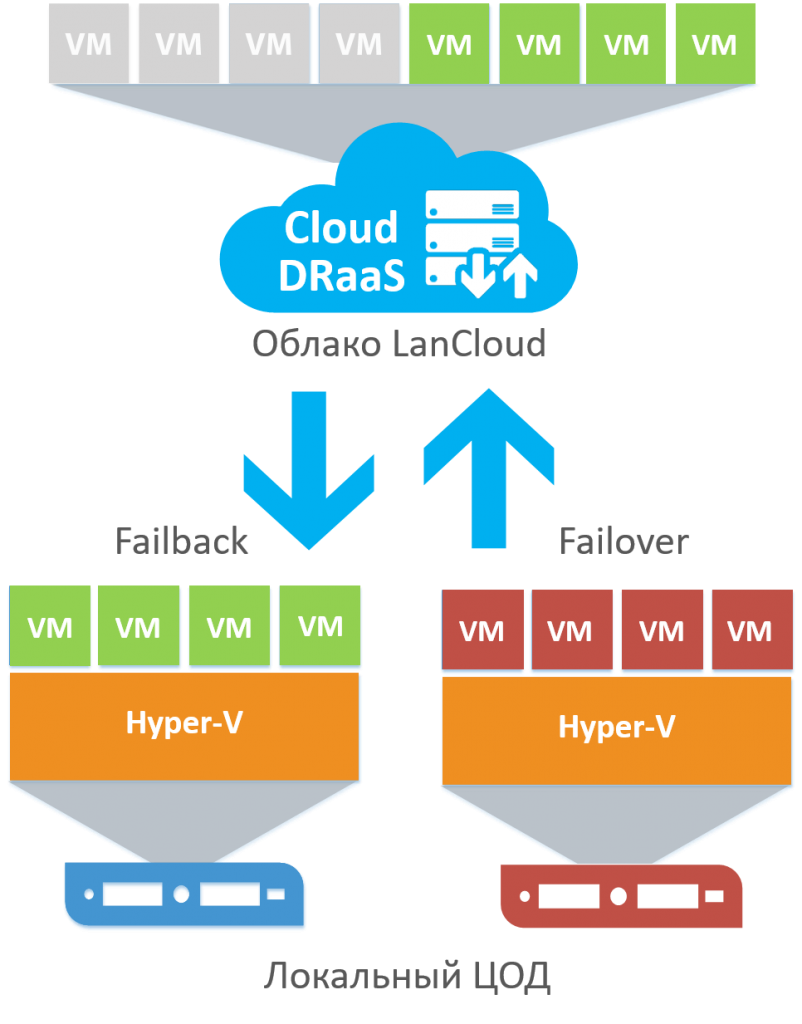 Cloud DRaaS (Disaster Recovery as a Service) is a cloud service for rapid disaster recovery of virtual servers in the LanCloud backup data center in case of partial or complete failure of the customer's primary data center.
The Cloud DRaaS service is based on Veeam Cloud Connect and Backup & Replication. The service continuously replicates virtual servers from the customer's local data center to the LanCloud data center. In case of a failure in the local data center, the customer can launch all or part of the virtual servers in the LanCloud cloud data center within minutes. All virtual servers remain accessible via the network thanks to an automatically created L2 VPN tunnel.
The main difference between Cloud DRaaS and Cloud Backup (BaaS) is the minimal possible recovery time - RTO (Recovery Time Objective) and minimal data loss - RPO (Recovery Point Objective). Using standard backup services, recovery time can take hours, days, or even weeks depending on data volume, causing business downtime and financial losses. With Cloud DRaaS, these times are reduced to just a few minutes. Even in the event of any disaster affecting the primary data center, business operations can resume in the LanCloud backup data center with up-to-date data in under 15 minutes.
Cloud DRaaS can be used alongside Cloud Backup, saving on Veeam Backup & Replication licensing. If you already have Veeam licenses, you can use them to reduce service costs.
Main advantages of Cloud DRaaS:
- Disaster-resilient protection for your data center
- Recovery of virtual servers in less than 15 minutes
- Data freshness within 15 minutes prior to failure
- 100% resource allocation guarantee at 30% of the cost
- Pay-as-you-go with per-minute billing
- Ability to failback when restoring the primary data center
- Full Microsoft Hyper-V support
- Option to use your own Veeam licenses
Cloud DRaaS Cost Calculator
To calculate the cost of Cloud DRaaS, select the number of virtual servers to replicate to the cloud and specify the corresponding number of Veeam Cloud Connect Replication licenses. If you do not have your own Veeam Backup & Replication licenses, you can rent them from us by selecting the required quantity in the calculator. It is recommended to use the same edition for all virtual servers: Standard, Enterprise, or Enterprise Plus. Standard is sufficient for most scenarios; Enterprise is recommended for high-load solutions with limited Internet bandwidth due to the WAN accelerator, which compresses traffic and speeds up data transfer. Enterprise Plus is mainly required if you need advanced backup features in addition to disaster recovery. Detailed edition comparison can be found here.
Next, choose the amount of computing resources (CPU cores, memory, disks, external IP addresses) to reserve for immediate disaster recovery. These resources are always available for testing disaster recovery. Reserved resource prices in the calculator are 30% of the real cost. During a planned or emergency launch, the cost is 100% of the resource price, billed per minute while servers are running in LanCloud.
To save costs, you can opt not to reserve resources. In this case, virtual servers can still be replicated to LanCloud, but emergency launch requires contacting support to allocate resources. LanCloud cannot guarantee 100% availability in this scenario. When resources are reserved, LanCloud guarantees 100% availability, allowing customers to launch servers without technical support intervention.

Quantity
Veam Cloud Connect Replication Licenses, VM
x t
0 / month

Quantity
Veeam Backup & Replication Standard Licenses, VM
x t
0 / month

Quantity
Veeam Backup & Replication Enterprise licenses + WAN acceleration, VM
x t
0 / month

Quantity
Veeam Backup & Replication Enterprise Plus licenses + WAN acceleration, VM
x t
0 / month

Quantity
Backup vCPU 3.0 @ 3.7 GHz(Intel Xeon Scalable Gold 6154), core
x t
0 / month

Quantity
Backup vCPU 2.5 @ 2.9GHz (Intel Xeon E5-2680 V3), core
x t
0 / month

Quantity
Резерв vRAM, ГБ
x t
0 / month

Quantity
vHDD SATA RAID-5 backup (up to 100 MB/s without SLA), GB
x t
0 / month

Quantity
vHDD NL-SAS 7.2K RAID-6 backup (200 MB/s 0.5K IOps), GB
x t
0 / month

Quantity
vHDD NL-SAS 7.2K RAID-6 backup (300 MB/s, 1K IOps), GB
x t
0 / month

Quantity
vHDD SAS 15K RAID-10 backup (500 MB/s 5K IOps), GB
x t
0 / month

Quantity
vHDD SSD STD RAID-6 backup (500 MB/s, 50K IOps), GB
x t
0 / month

Quantity
vHDD SSD ULTRA RAID-10 backup (1000 MB/s, 100K IOps), GB
x t
0 / month

Quantity
Public IPv4 reserve (100 Mbps channel), units
x t
0 / month
Prepayment
Total:
/ month
Place an order
Reviews



CLOUD
SERVICES
FOR BUSINESS
COMPANY
SERVICES
CONTACTS
010007, Republic of Kazakhstan,
Astana, Almaty district, Tauelsizdik Avenue, 15 (3rd floor), office No. 5
010007, Astana, Almaty district, Tauelsizdik Avenue, 15 (3rd floor), office No. 5
© 2003-2026, LANCLOUD
The website is not a public offer and is for informational purposes only.
Privacy Policy
Consent to data processing
The website is not a public offer and is for informational purposes only.
Privacy Policy
Consent to data processing